Windows and macOS can share folders over the network, but SMB sharing, user accounts and firewall prompts take a while to get right. PDFs, documents, ZIP archives, audio: the file type shouldn’t change how hard it is to move.
Transfer files from PC to Mac
Any file type, up to 1 GB each, from your PC to your Mac. Right in the browser.
Keep for
Clipboard
Press ⌘V / Ctrl+V anywhereClips are visible to devices on your Wi-Fi for 30 minutes. Avoid sending passwords.
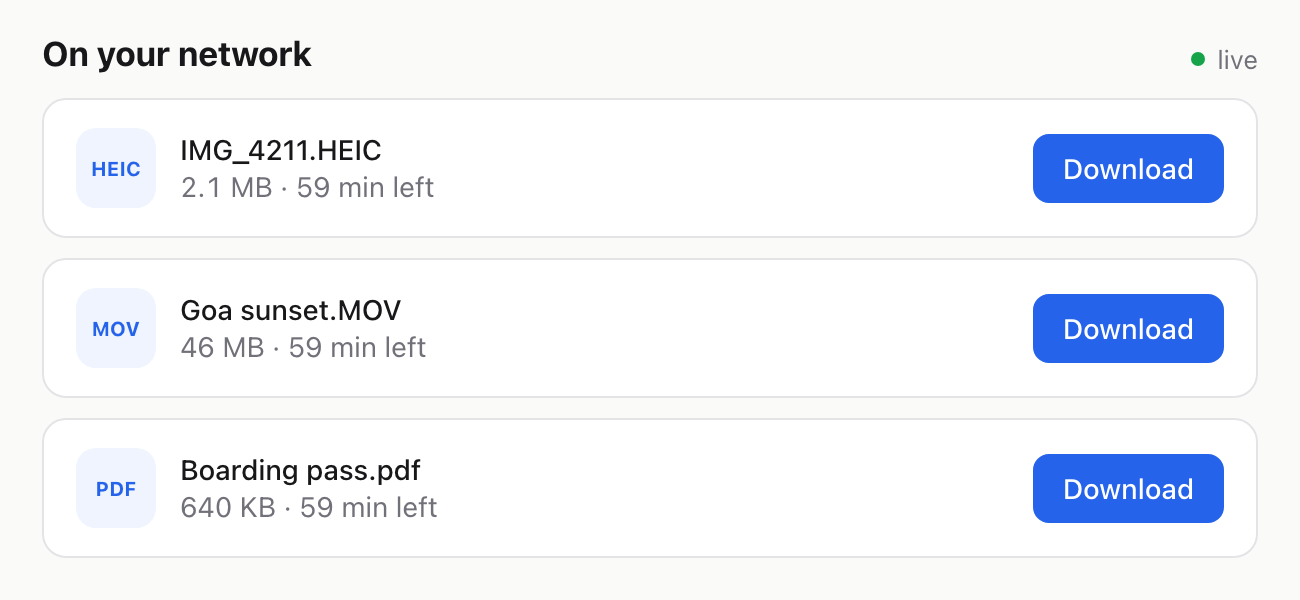
On your network
liveLooking for files…
The quick way, with fdrop
- 1
Open fdrop.cc on the PC
Open fdrop.cc in Edge or Chrome and drag the files onto the page, or click to choose them.
- 2
Open fdrop.cc on the Mac
On the same Wi-Fi, the files appear under “On your network” automatically. Anywhere else, send yourself the link fdrop gives you.
- 3
Download
Downloads go to your Downloads folder.
Other ways, and their catch
Shared network folder
Share a folder on Windows, then press ⌘K in Finder on the Mac and connect to smb://PC-NAME.
Good: Good for moving lots of files regularly. Catch: Both on the same network, plus passwords and firewall settings that are easy to get wrong.
USB drive
Copy onto a USB stick or external drive formatted as exFAT, which both Windows and macOS can read and write.
Good: No network needed. Catch: You need a drive at hand, and older FAT32 drives can’t hold files over 4 GB.
Email it to yourself
Attach it (or paste it) in an email to yourself and open the email on the Mac.
Good: Works on every device. Catch: Gmail attachments stop at 25 MB and Outlook.com at 20 MB, so most videos won’t fit.
Good to know
- Any file type works: PDF, DOCX, ZIP, APK, MP3, PSD. Up to 1 GB per file, several at once.
Questions
How do I transfer files from PC to Mac without a cable?
Open fdrop.cc on both devices, pick the files on the PC and download them on the Mac. No app or account needed. Of the built-in options, Shared network folder is the closest, with the trade-offs listed above.
Which file types work?
All of them. Documents, PDFs, archives, audio, apps, design files. The only limit is 1 GB per file.
Do the PC and Mac need to be on the same Wi-Fi?
Only for the automatic “On your network” list. If the Mac is somewhere else or on mobile data, copy the link fdrop gives you and open it there.
Do I need to install an app?
No. fdrop runs in Edge or Chrome on the PC and Safari or Chrome on the Mac. Nothing to install and no account.
How long do the files stay online?
2 hours by default. Pick 1 hour, 1 day, 7 days or 30 days before uploading, or delete them yourself at any time from the device you uploaded on.