Quick Share doesn’t reach iPhones and AirDrop doesn’t reach Android, so moving things across usually means a cloud app or a chat app that compresses everything. PDFs, documents, ZIP archives, audio: the file type shouldn’t change how hard it is to move.
Transfer files from Android to iPhone
Any file type, up to 1 GB each, from your Android to your iPhone. Right in the browser.
Keep for
Clipboard
Press ⌘V / Ctrl+V anywhereClips are visible to devices on your Wi-Fi for 30 minutes. Avoid sending passwords.
On your network
liveLooking for files…
The quick way, with fdrop
- 1
Open fdrop.cc on the Android
Open fdrop.cc in Chrome, tap the drop area and browse to the file.
- 2
Open fdrop.cc on the iPhone
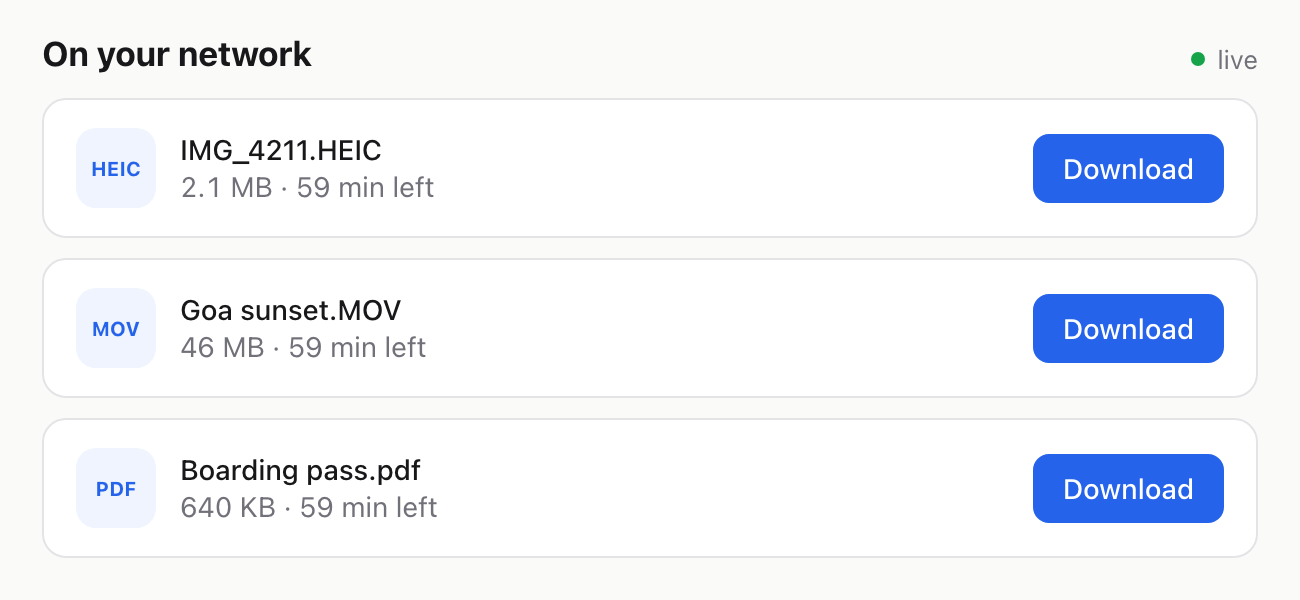
On the same Wi-Fi, the files appear under “On your network” automatically. Anywhere else, send yourself the link fdrop gives you.
- 3
Download
Downloads land in the Files app, in the Downloads folder.
Other ways, and their catch
Google Drive
Upload the files to Google Drive on the Android, then download them on the iPhone.
Good: Works across any platforms. Catch: Needs your Google account on both and a full upload before the download can start.
WhatsApp or Telegram to yourself
Send it to your own chat (Message yourself in WhatsApp, Saved Messages in Telegram) and open WhatsApp or Telegram on the iPhone.
Good: You probably have the app already. Catch: Needs the app signed in on both devices.
Email it to yourself
Attach it (or paste it) in an email to yourself and open the email on the iPhone.
Good: Works on every device. Catch: Gmail attachments stop at 25 MB and Outlook.com at 20 MB, so most videos won’t fit.
Good to know
- Any file type works: PDF, DOCX, ZIP, APK, MP3, PSD. Up to 1 GB per file, several at once.
Questions
How do I transfer files from Android to iPhone without a cable?
Open fdrop.cc on both devices, pick the files on the Android and download them on the iPhone. No app or account needed. Of the built-in options, Google Drive is the closest, with the trade-offs listed above.
Which file types work?
All of them. Documents, PDFs, archives, audio, apps, design files. The only limit is 1 GB per file.
Do the Android and iPhone need to be on the same Wi-Fi?
Only for the automatic “On your network” list. If the iPhone is somewhere else or on mobile data, copy the link fdrop gives you and open it there.
Do I need to install an app?
No. fdrop runs in Chrome on the Android and Safari on the iPhone. Nothing to install and no account.
How long do the files stay online?
2 hours by default. Pick 1 hour, 1 day, 7 days or 30 days before uploading, or delete them yourself at any time from the device you uploaded on.